
Blog
Best Gaming Mouse for Pakistan (2026 Buyer’s Guide)


Looking for the best gaming mouse for Pakistan in 2026 without wasting money on hype specs? This GearNest buyer’s guide breaks down PKR budget tiers, wired vs wireless, optical vs laser sensors, and DPI in plain language — plus Cash on Delivery (COD) and shipping tips for Pakistani shoppers.
GearNest focuses on gaming and everyday tech accessories for Pakistan: mice, keyboards, headsets, controllers, mousepads, and more. Use this guide to shortlist smarter, then browse the Mouse category when you’re ready to order.
What to look for before you buy
A good gaming mouse is about fit and consistency, not the flashiest RGB. Check:
- Shape and grip — palm, claw, or fingertip
- Weight — lighter often helps flick aiming; heavier can feel more “planted”
- Sensor quality — tracking accuracy beats inflated marketing DPI
- Clicks and scroll — crisp mains, a wheel that doesn’t skip
- Cable or battery — what you’ll tolerate in long sessions
- Price in PKR — including COD convenience and a proper mousepad
Wired vs wireless gaming mice
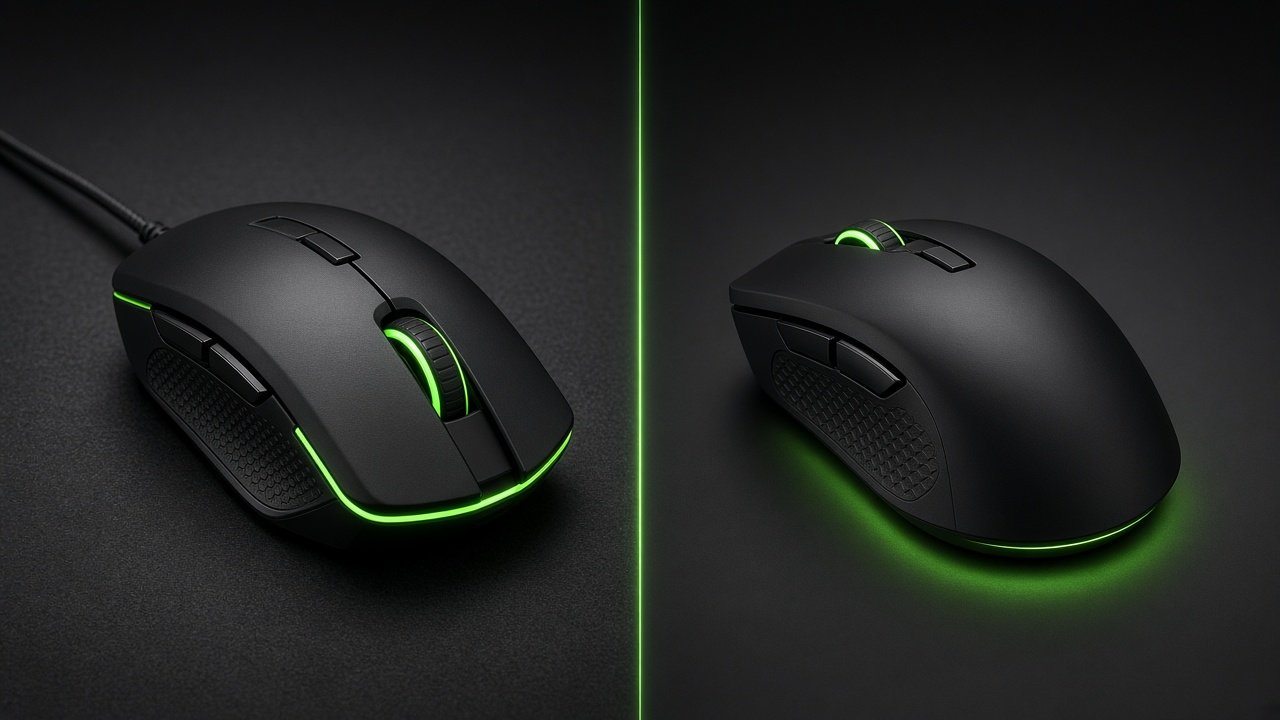
Wired
Best for: tight budgets, long ranked sessions, zero charging anxiety.
Pros: usually cheaper in PKR, no battery, simple plug-and-play.
Cons: cable drag if the cord is stiff (a mouse bungee or lighter cable helps).
Wireless
Best for: cleaner desks, freer arm movement, mid-to-upper budgets.
Pros: no cable tug, modern latency is fine for most titles.
Cons: higher price; you must manage charging or spare cells.
Pakistan tip: If your electricity is unstable or you game late nights, keep a wired backup or a mouse that charges quickly via USB-C.
Sensor types: optical vs laser (simple)
Optical sensors
Optical sensors use an LED (often invisible) and a tiny camera to track the surface. For most gamers in Pakistan, optical is the default recommendation — consistent on cloth mousepads, predictable lift-off, widely used in esports-style mice.
Laser sensors
Laser can track on more surfaces, including some glossy desks. In practice, many players still prefer optical on a proper cloth pad because tracking feels more controlled for FPS.
GearNest advice: Buy a decent mousepad with your mouse. A strong sensor on a rough table still feels worse than a mid-tier mouse on a good pad. Pair picks from Mouse with the Mousepads category when you shop.
DPI explained simply
DPI (dots per inch) is how far the cursor moves for each inch you move the mouse.
- Low DPI (e.g. 400–800) — bigger arm movements, common in tactical FPS
- Medium (800–1600) — versatile for most Pakistani gamers
- High DPI — useful for high-res monitors or quick screen crossing; you rarely need extreme max DPI numbers from ads
What matters more than “max 20,000 DPI” marketing:
- A stable sensor at your real DPI
- Comfortable sensitivity in-game (eDPI = DPI × in-game sens)
- Consistent mousepad friction
Start around 800 DPI, then adjust. Don’t chase the highest number on the box.
Best picks by PKR budget (2026)
Stock and street prices change with imports — always confirm the live GearNest product page. These tiers help you shop by outcome, not hype.
Under 3,000 PKR — entry / student setups
Who it’s for: school or college setups, light gaming, office + casual titles.
Look for: reliable optical sensor, comfortable everyday shape, durable cable (if wired), basic side buttons.
Skip: ultra-light honeycomb shells and premium wireless claims in this band — value and durability win.
3,000–7,000 PKR — the sweet spot
Who it’s for: most Pakistani gamers who play FPS, battle royale, or long sessions.
Look for: better switches, cleaner cable or entry wireless, solid feet, software that isn’t mandatory for basic use.
This is where the best gaming mouse for Pakistan usually lives for money-to-performance.
7,000+ PKR — serious / wireless upgrade
Who it’s for: competitive play, cleaner desks, lighter shells, stronger wireless performance.
Look for: proven sensor pedigree, good battery life, replaceable or PTFE feet, shape that matches your grip after long matches.
Spend here only after your grip style is clear — an expensive wrong shape still hurts aim.
Quick comparison table
| Budget (PKR) | Best for | Prefer | Also buy |
|---|---|---|---|
| Under 3,000 | Students, casual | Wired optical | Basic mousepad |
| 3,000–7,000 | Most gamers | Wired or entry wireless | Quality cloth pad |
| 7,000+ | Competitive / clean desk | Wireless + strong sensor | Large mousepad |
COD and Pakistan shipping tips
Many shoppers prefer Cash on Delivery for first gaming gear orders. Practical tips:
- Confirm the product title and images match what you want (wired vs wireless).
- Keep your phone on for courier coordination.
- Inspect the sealed box before paying when COD allows checks per the courier’s process.
- Save the order SMS/email for support.
- Add a mousepad in the same order when possible — fewer deliveries, better first-session feel.
GearNest is built for Pakistan shoppers looking for gaming accessories with local-friendly checkout. When catalog stock is live, filter the Mouse category by your budget band and use this checklist.
Pre-order checklist
- Grip style matches the mouse shape
- Optical sensor + cloth pad planned
- DPI around 400–1600 to start
- Wired vs wireless decided for your power/desk setup
- Budget band set in PKR
- COD / delivery details ready
Final verdict
The best gaming mouse for Pakistan in 2026 isn’t the one with the loudest RGB — it’s the one that fits your hand, tracks cleanly on a real mousepad, and sits in a PKR band you can replace without stress. Most players should start in the 3,000–7,000 PKR range, choose optical, learn DPI simply, then upgrade wireless later if the desk and rank demand it.
Browse GearNest Mouse next, add a mousepad, and order when the listing matches this guide — not the marketing sticker on the box.